How Many Plugins Can WordPress Handle? I Installed 223 to Find Out
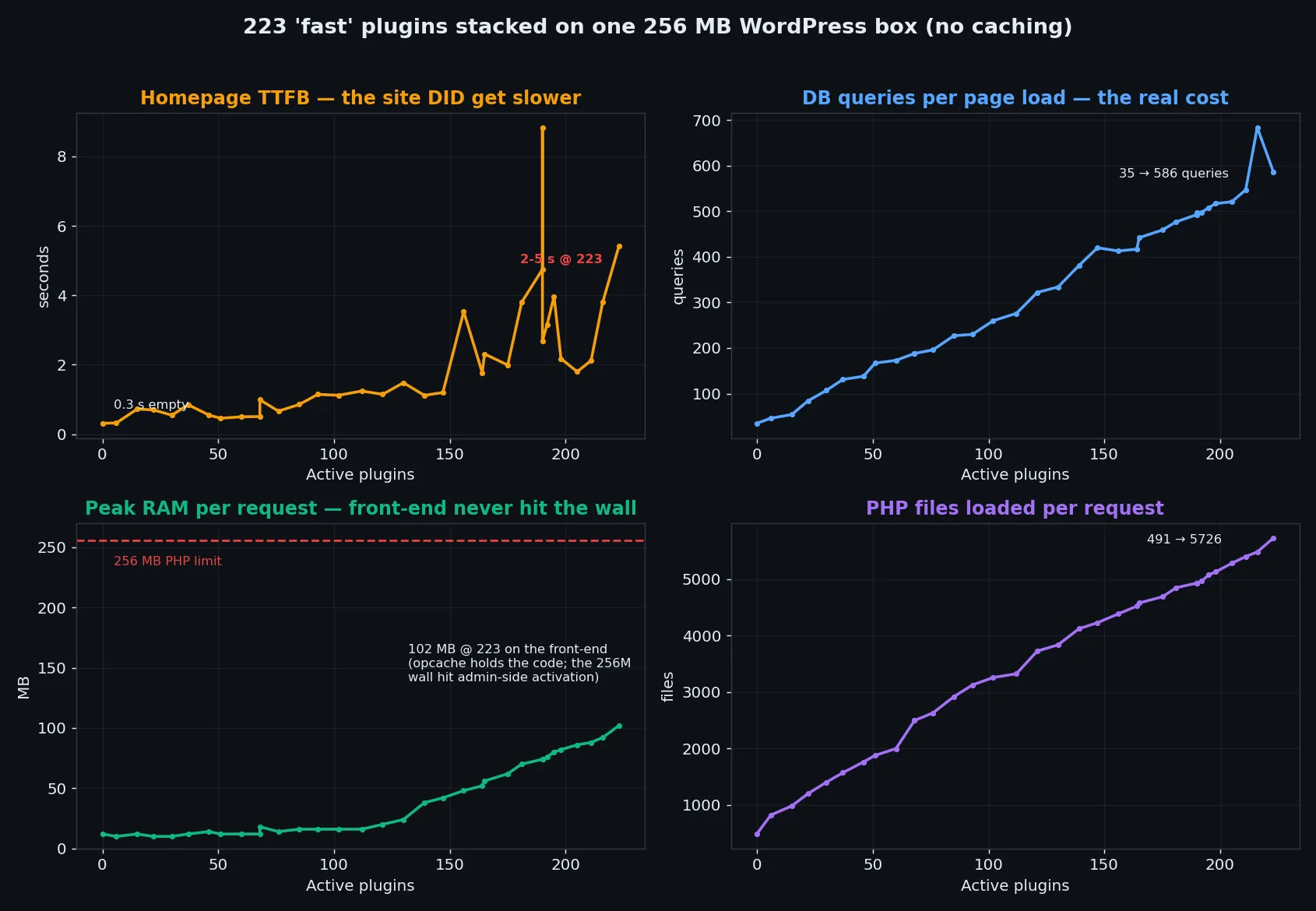
I installed 223 plugins on a 256MB WordPress box. RAM held, queries exploded 23x, one plugin killed the site – real benchmark data inside.
In-depth WordPress performance guides
I installed 223 plugins on a 256MB WordPress box. RAM held, queries exploded 23x, one plugin killed the site – real benchmark data inside.
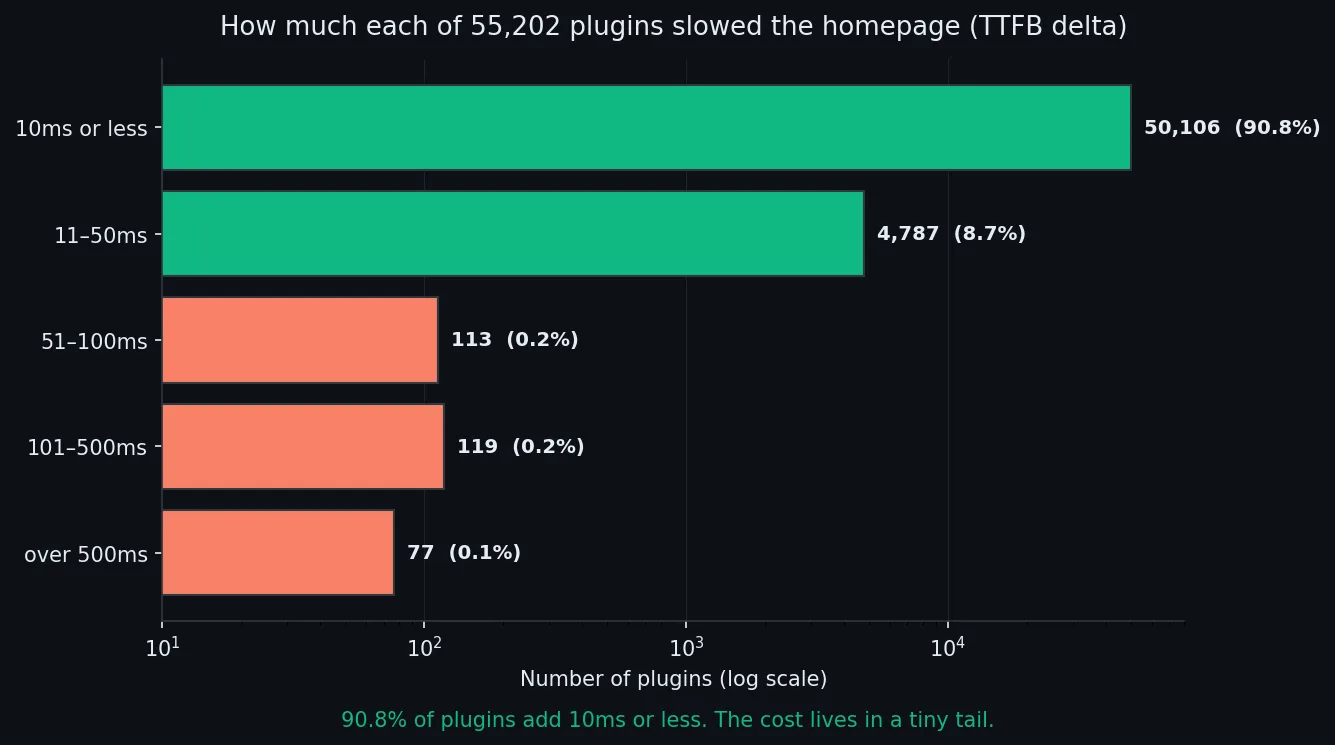
Every WordPress speed tip says cut your plugins. I benchmarked 55,202. The median adds 0ms to your homepage. Here’s what actually slows a site.
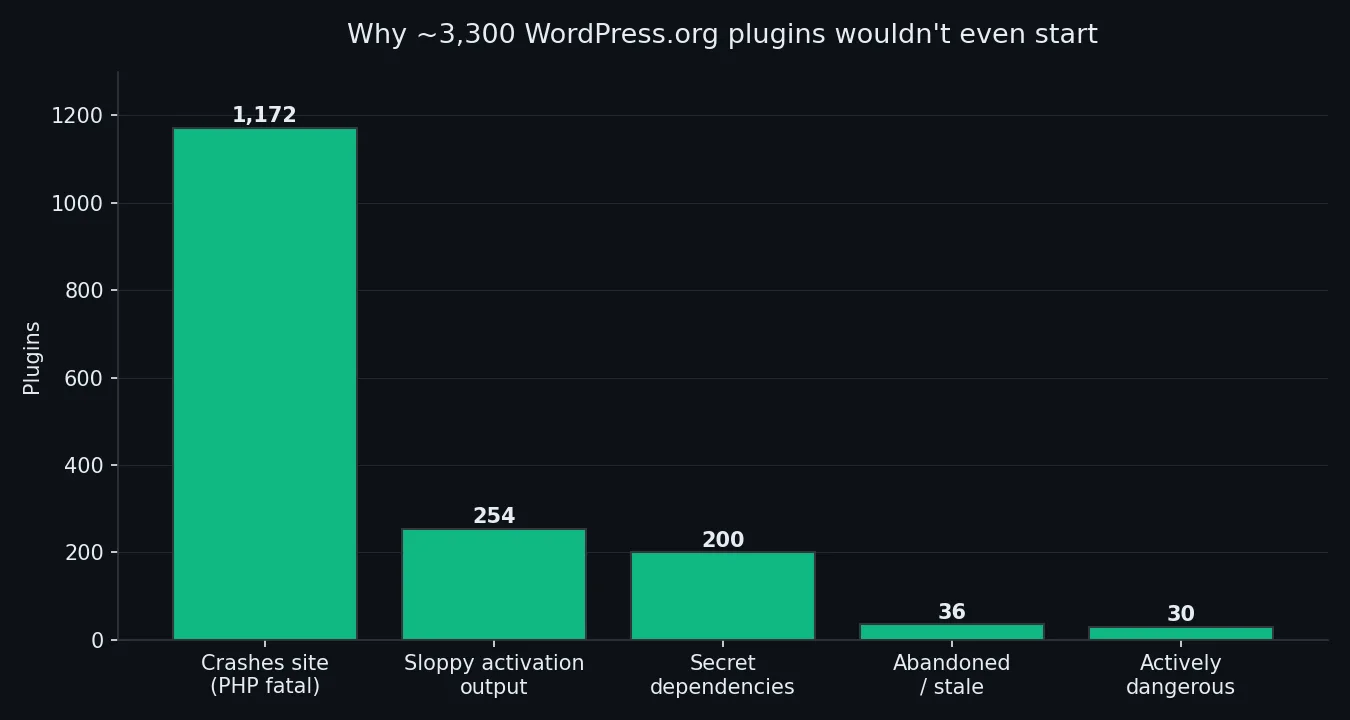
I activated 54,649 WordPress.org plugins in clean containers. ~94% ran fine. What the other 6% got wrong — and how to spot them first.
Running 20-100 client sites on WordPress multisite? Here is how the database architecture actually works, why switch_to_blog kills performance, and what to do about plugin activation scope, object caching, and domain mapping overhead.
I installed 16 WooCommerce configurator plugins on a clean site and measured the real page weight impact. Some add zero overhead. One adds 860KB of JavaScript to every product page.
XML-RPC is a remote procedure call protocol that WordPress has supported since before the REST API existed. It allows external applications to communicate with your WordPress site — but in 2026, it is mostly a liability. What XML-RPC Does XML-RPC (xmlrpc.php) enables remote publishing, pingbacks, and trackbacks. Desktop blogging apps and some mobile apps used … Read more
The wp-config.php file is the control center of your WordPress installation. Most tutorials only cover database credentials, but this file holds the keys to significant performance improvements. Memory Limits WP_MEMORY_LIMIT applies to frontend requests. WP_MAX_MEMORY_LIMIT applies to admin tasks like updates and image processing. Set these based on your server capacity — going too high … Read more