The one WordPress.org number nobody can audit
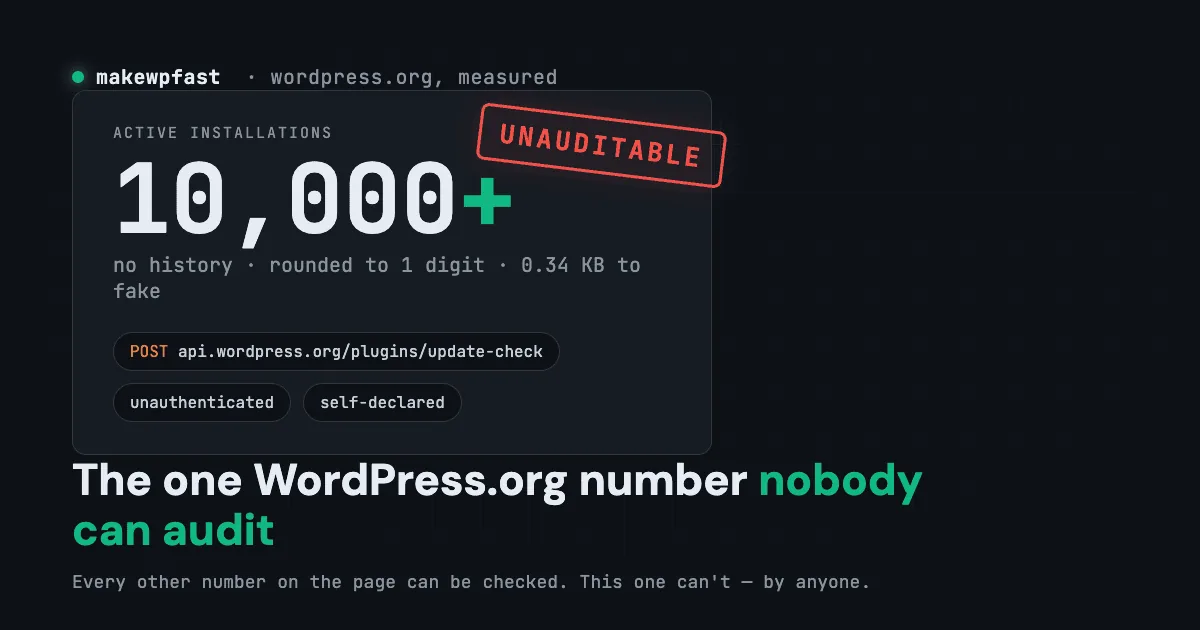
The active installs count on WordPress.org has no history, is rounded, costs 0.34 KB to fake, and anyone can inflate a plugin they don’t own. I measured it.
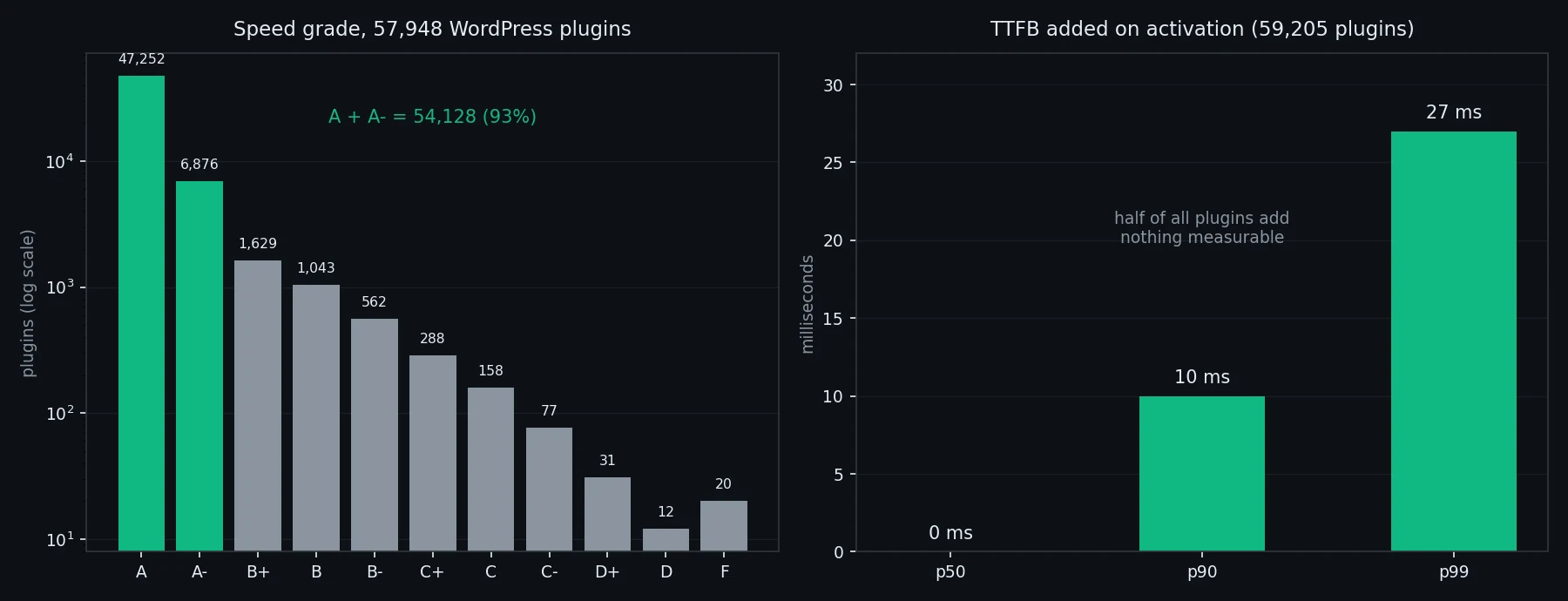
I graded 57,948 WordPress plugins. 93% score an A or A-, because most plugins genuinely cost nothing. Here’s why that broke my speed badge.
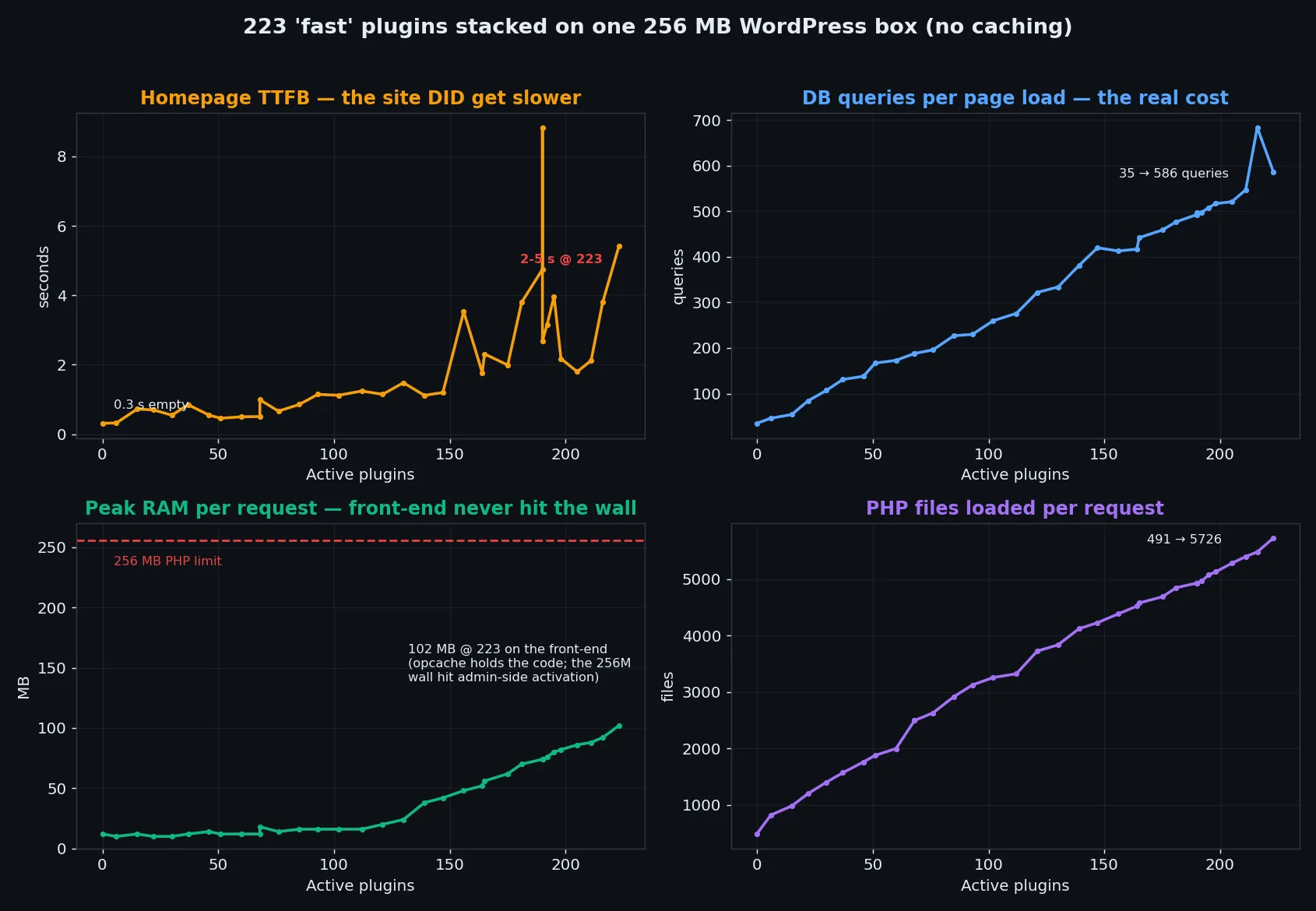
I installed 223 plugins on a 256MB WordPress box. RAM held, queries exploded 23x, one plugin killed the site – real benchmark data inside.
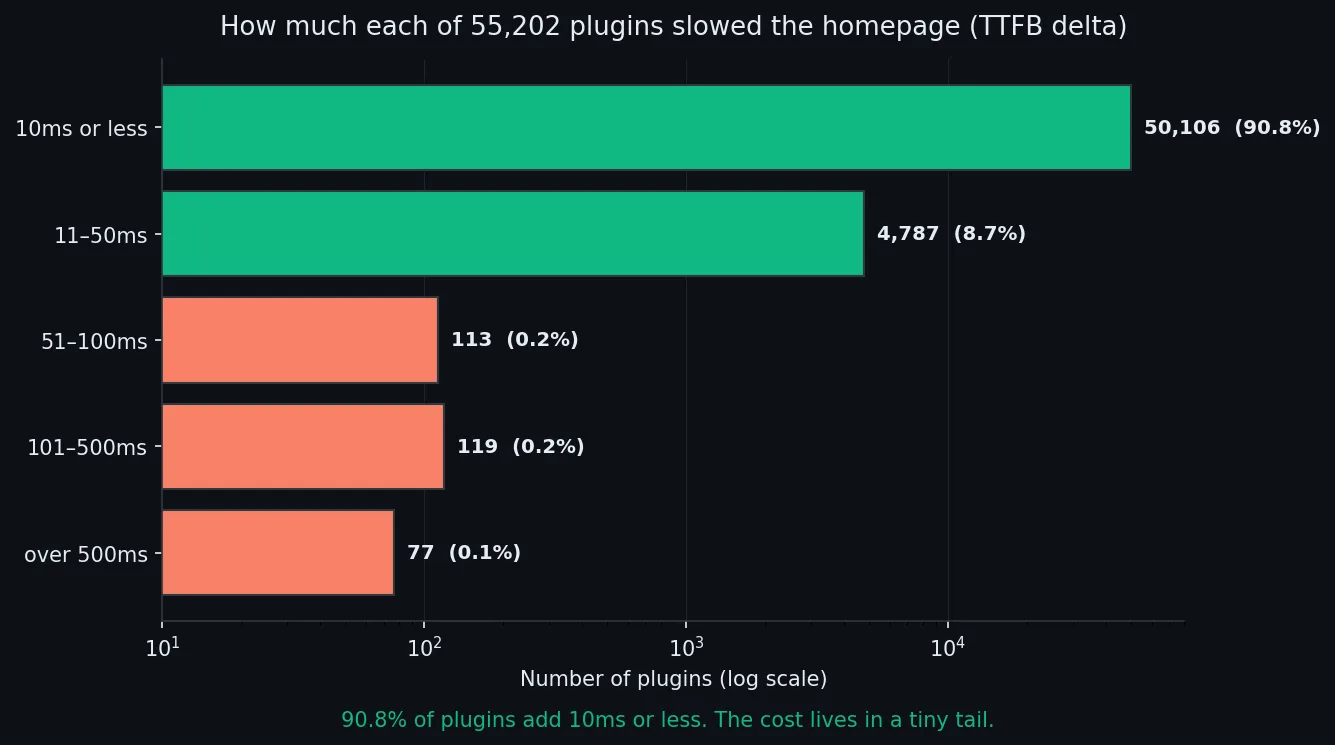
Every WordPress speed tip says cut your plugins. I benchmarked 55,202. The median adds 0ms to your homepage. Here’s what actually slows a site.
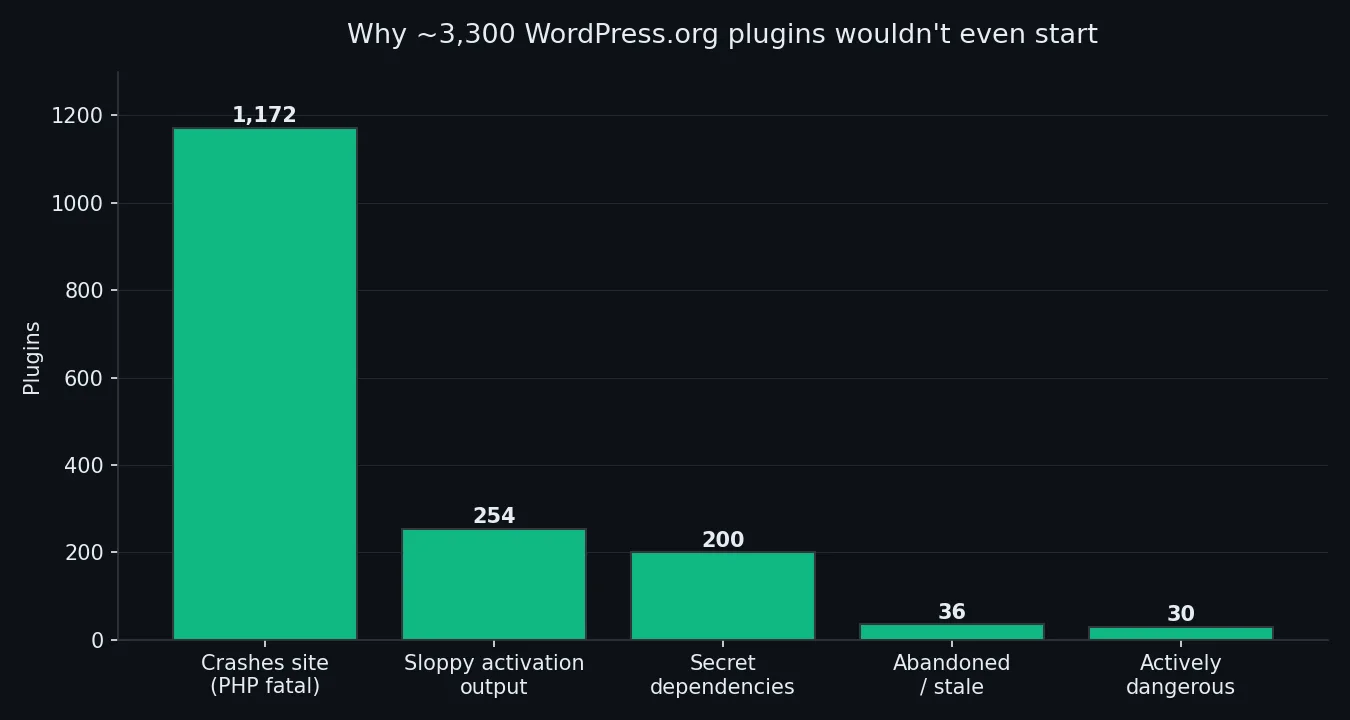
I activated 54,649 WordPress.org plugins in clean containers. ~94% ran fine. What the other 6% got wrong — and how to spot them first.
Security plugins hook into every WordPress request – firewall rules, file scanning, database logging. Here’s what each major plugin does under the hood, why some add serious overhead, and how to get proper security without killing your site speed.
Running 20-100 client sites on WordPress multisite? Here is how the database architecture actually works, why switch_to_blog kills performance, and what to do about plugin activation scope, object caching, and domain mapping overhead.
What WordPress object cache actually does, when you need a persistent cache, Redis vs Memcached architectural differences, and how to verify it is working. No fabricated benchmarks.
WordPress registers 40+ REST API endpoint controllers on every /wp-json/ request. Most sites use a fraction of them. Here’s how to audit, trim, and lock down your REST API – with real hooks and code you can deploy today.
Your WordPress site is slow and you suspect a plugin. Here’s how to actually find the culprit – from the manual disable-and-test method to hook profiling tools that show you exactly which callback is eating your page load time.